This is a perfect example of the fantastic opportunities afforded to 1 to 1 schools. This would be very difficult without our infusion of technology. You can follow our broadcasts at our website found here.
Showing posts with label 1:1. Show all posts
Showing posts with label 1:1. Show all posts
Tuesday, October 30, 2012
Middle School News Team
One of the many things I love about my school, Wabash Middle School, is that we offer something for every student. I have never seen such a small school with so many opportunities for diverse student interests. We offer everything from tennis to Spanish Club. Our newest edition is the APAX News Team. Since our school is 1 to 1 we have incredible digital potential. We have about 20 students who do a variety of jobs. We meet everyday in our after school Computer Club. Some days we have several stories to cover, on slow days we just hang out and think of fun things to include in the next broadcast. I work with another teacher-sponsor who was a journalism major at one point. She writes or at least edits most of the script, and I handle the video editing. We are planning to hand this off to the students eventually, but its middle school. One the things I love about this is the diverse group of students who are involved. We are attracting new members all the time and the APAX News Team is all the rage in Wabash.
This is a perfect example of the fantastic opportunities afforded to 1 to 1 schools. This would be very difficult without our infusion of technology. You can follow our broadcasts at our website found here.
This is a perfect example of the fantastic opportunities afforded to 1 to 1 schools. This would be very difficult without our infusion of technology. You can follow our broadcasts at our website found here.

Wednesday, October 24, 2012
Computer Club
The summer before my school went 1 to 1, we tried to prepare for any foreseeable problems our students, parents, or teachers might encounter. One issue was Internet access. There are many in our community who suffer from unemployment or underemployment and roughly 70% of our students receive free or reduced lunch. What are students supposed to do if they have homework and they need the Internet to complete their work? While they likely have local hotspots, friends, or relatives who have Internet, as a school we can't ask them to "just figure it out" without a reasonable option. My experience has been that students are efficient excuse machines, and if given any legitimacy, they, and their parents, will overrun you.

Thus, the creation of Computer Club. Computer club is an after school, supervised place for students to work on homework or just hangout and use the school's Internet access. This is also a place to get help with computers. Teachers often send student to me in Computer Club to learn how to use iMovie, iPhoto, or some web tool. Teachers themselves regularly drop in to get tech advice or troubleshoot a problem.
To be fair, lots of kids come to Computer Club to play non-educational games like Minecraft, and hang out with their friends. However, one could argue this is a great alternative to having them walking around town getting into trouble or returning to an empty house because their parents are at work. Last week I sat up and surveyed the kids in Computer Club. There were several athletes using it as a pre-practice study hall, there were 2 kids discussing their new blog and how to promote it, our APAX News Team was planning their next broadcast, about 12 hardcore Minecraft builders hunched over their computer, and another 6 or 7 kids floating from group to group socializing and casually working on homework. It was exciting to see kids engaged in what they were doing and having fun in school. Computer Club has been an integral part of our 1:1 plan, it has also become a time for clubs to assemble like APAX News Team and the new upstart SWAT Team (Students Working to Assist Technology). Great things are happening in little Wabash, Indiana, and like our announcements regularly say, "its a great day to be an Apache".

Thus, the creation of Computer Club. Computer club is an after school, supervised place for students to work on homework or just hangout and use the school's Internet access. This is also a place to get help with computers. Teachers often send student to me in Computer Club to learn how to use iMovie, iPhoto, or some web tool. Teachers themselves regularly drop in to get tech advice or troubleshoot a problem.
To be fair, lots of kids come to Computer Club to play non-educational games like Minecraft, and hang out with their friends. However, one could argue this is a great alternative to having them walking around town getting into trouble or returning to an empty house because their parents are at work. Last week I sat up and surveyed the kids in Computer Club. There were several athletes using it as a pre-practice study hall, there were 2 kids discussing their new blog and how to promote it, our APAX News Team was planning their next broadcast, about 12 hardcore Minecraft builders hunched over their computer, and another 6 or 7 kids floating from group to group socializing and casually working on homework. It was exciting to see kids engaged in what they were doing and having fun in school. Computer Club has been an integral part of our 1:1 plan, it has also become a time for clubs to assemble like APAX News Team and the new upstart SWAT Team (Students Working to Assist Technology). Great things are happening in little Wabash, Indiana, and like our announcements regularly say, "its a great day to be an Apache".
Monday, October 1, 2012
Why Chrome is the Most Amazing Browser
People don't like to talk about religion and politics because people are generally set in their ways and emotions gets high. This is how I feel towards web browsers (nerd alert), and like any religious zealot, I am completely convinced I am right! However, this is no leap of faith. Google Chrome is, by any measure, the best web browser available and anyone who doesn't agree simply doesn't know what Chrome can do. This is especially true for educators and students.

Speed is thought to be a major issue with web browsers, and you can find speed tests that favor just about any browser, except maybe Internet Explorer. I personally think Chrome is faster after using IE, Firefox, and Safari on a fairly regular basis, however, Internet speed is more linked to your Internet connection and computer processor than it is to your browser.
The real beauty of Google Chrome is the apps and extensions. For those who don't know, web extensions (also called add-on too) are essentially mini-programs that work within your web browser. Some of my favorites are Evernote Web clipper, Diigo Highlight/bookmarking tool, Explain and Send (screenshots), Black Menu (for easy access to all your Google Apps), and Aviary image editor for Google Drive--this is important when working in Google Presentation to edit and crop images. The Google Chrome Store is full of thousands of other extensions and apps such as Ancient History Encyclopedia--and they are almost all FREE.
There are many other benefits too. Google Chrome automatically updates, so there is no need to ever update the software. Do you ever leave your browser open so you don't lose the tabs you have open? Chrome allows you to close your browser and continue where you left off. Possibly the greatest benefit is the fact that it is 100% web-based. What does that mean? I can log into Chrome (Google account) on my desktop and have the same apps and extensions I have on my laptop. I can log into my account on my friend's computer, library computer--ANYWHERE and have all the same apps, extensions, web history, bookmarks, etc. as I do on my personal laptop. Not to mention the incalculable value of all the other Google Apps, which I've blogged about before here and here. I don't want to live in digital world without Google. You won't either when you discover the glory of Google.
Speed is thought to be a major issue with web browsers, and you can find speed tests that favor just about any browser, except maybe Internet Explorer. I personally think Chrome is faster after using IE, Firefox, and Safari on a fairly regular basis, however, Internet speed is more linked to your Internet connection and computer processor than it is to your browser.
The real beauty of Google Chrome is the apps and extensions. For those who don't know, web extensions (also called add-on too) are essentially mini-programs that work within your web browser. Some of my favorites are Evernote Web clipper, Diigo Highlight/bookmarking tool, Explain and Send (screenshots), Black Menu (for easy access to all your Google Apps), and Aviary image editor for Google Drive--this is important when working in Google Presentation to edit and crop images. The Google Chrome Store is full of thousands of other extensions and apps such as Ancient History Encyclopedia--and they are almost all FREE.
There are many other benefits too. Google Chrome automatically updates, so there is no need to ever update the software. Do you ever leave your browser open so you don't lose the tabs you have open? Chrome allows you to close your browser and continue where you left off. Possibly the greatest benefit is the fact that it is 100% web-based. What does that mean? I can log into Chrome (Google account) on my desktop and have the same apps and extensions I have on my laptop. I can log into my account on my friend's computer, library computer--ANYWHERE and have all the same apps, extensions, web history, bookmarks, etc. as I do on my personal laptop. Not to mention the incalculable value of all the other Google Apps, which I've blogged about before here and here. I don't want to live in digital world without Google. You won't either when you discover the glory of Google.
Tuesday, September 4, 2012
Writing in Google Doc's
This year I have really embraced the fact that literacy is the foundation of everything we do in school. I am trying to inject more non-fiction reading and formal writing into my social studies class. As students write, they need formative feedback. Assigning a paper and waiting a week before we cover it in red ink is assigning students to failure. Ideally, I would like to sit down with every student, everyday while they write. With classes as large as 28 this year, I would need to budget 1.7 minutes for each student as I guide them toward better grammar, punctuation, spelling, sentence structure, vocabulary, summarizing, etc. 

Luckily, our school has Google Apps for Education. Every student has a Google account, so when they write, they do it in Google Docs. They share their paper with me and I have 24 hour access to their work. I sit down face-to-face with as many students as I can during class, but I look at every paper, everyday. For the students I don't sit down with, I insert comments into their paper. Comments are great ways to have a discussion without marking up their paper. Students can respond and you can easily have a conversation about their work. I keep track of who I talk to in person and who I comment on to keep balanced and keep track of formative progress. By the time the paper is due, I rarely need to do any "grading" and there is no need to turn anything in. Another major benefit is the "dog" can't eat it, they can't forget it at home, and since it's saved in the cloud any online device can access it. Revision history is another tool that allows you or students to recover their work in case of a problem. You can also do research without leaving your doc.
Managing all of the paper is an issue for many teachers. If you have several hundred students it can be difficult to manage that many docs. Its important to use collections/folders and be proactive in managing your files. I would also recommend teaching student about email notifications. Every time someone shares a document with you, they can send an email to notify you. If you are expecting their work, you don't want to clear several hundred email from you inbox.
The way I manage my student work is by having 2 Google accounts. I have my school account and my personal account. When I'm online, I usually operate out of my personal account and forward all my school mail to my personal account. I have students share their work to my school account, so 90% of the documents in my school's Google Docs account and my personal account isn't cluttered up by other people's work. I really don't know why every school doesn't take advantage of Google Apps for Education. Docs and formative assessment is just the tip of the iceberg.
Monday, August 20, 2012
1 to 1 Experiment: Year Two
On August 14, we began the second year of our 1 to 1 initiative at Wabash Middle School. This year we expanded from grades 6-8 to grades 4-12! Our K-3 rooms are nearly 1 to 1 with iPads. As you may recall, I'm not one to rely on quantifiable data, however it's the most reliable evidence to some people, so let me throw some hard data at you. Our enrollment is up over 2% for the 2nd straight year--in a town with a declining population. Our middle school had the highest standardized test scores we've had in our history. Our math scores alone went up over 3%. Our middle school enrollment increased over 10%, and not from students moving in from far away areas. Most of our new students came from neighboring districts--districts that are ALSO 1 to 1. There is much more, but we know real learning can't be quantified. However, these numbers have created quite a buzz in our community.
 We held an open house for students and parents the night before school started. We distributed computers, setup computers, signed papers, gave basic instructions, and communicated classroom information. Over 90% of our parents and students came (for the second year in a row)--in a district with historically low turnout for open house and parent/teacher conferences.
We are a fully integrated Google Apps for Education school now, so every student has a secure CIPA friendly email address and access to Google's amazing apps. My 7th grade team began a digital portfolio this year we are calling a Museum of Learning. I would like to see our museum extended in both directions, and eventually be K-12. This type of authentic assessment could actually be useful to students in future endeavors, be it college or career.
We have discussed including students in our technology team. What a great opportunity for a students to leave high school with 4-7 years of experience in Apple repair, support, and troubleshooting. Our teachers are assembling authentic content and initiating exciting creative projects. Of course, this is not true of every teacher or every building. Each building is at their own phase of implementing a 21st Century class. Hopefully, time and professional development will help foster a break from traditional education--creation rather than consumption, publishing rather than "turning in", presenting rather that submitting, conversation rather than quizzing, authentic rather than canned, and inspiration rather than obligation. So, here's to a poverty stricken small midwestern town of 11,000+ breaking a 100 year old mold of public education with our feet dangling off the cutting edge of education and technology!

We are a fully integrated Google Apps for Education school now, so every student has a secure CIPA friendly email address and access to Google's amazing apps. My 7th grade team began a digital portfolio this year we are calling a Museum of Learning. I would like to see our museum extended in both directions, and eventually be K-12. This type of authentic assessment could actually be useful to students in future endeavors, be it college or career.
We have discussed including students in our technology team. What a great opportunity for a students to leave high school with 4-7 years of experience in Apple repair, support, and troubleshooting. Our teachers are assembling authentic content and initiating exciting creative projects. Of course, this is not true of every teacher or every building. Each building is at their own phase of implementing a 21st Century class. Hopefully, time and professional development will help foster a break from traditional education--creation rather than consumption, publishing rather than "turning in", presenting rather that submitting, conversation rather than quizzing, authentic rather than canned, and inspiration rather than obligation. So, here's to a poverty stricken small midwestern town of 11,000+ breaking a 100 year old mold of public education with our feet dangling off the cutting edge of education and technology!
Wednesday, August 8, 2012
Flexbooks as a Transition to Authentic Content
In my home state, it seems like nearly every school is in some phase of moving to a one-to-one learning environment where every student has some type of computing device. While this is certainly a giant leap forward for education, the leap has left many teachers feeling uneasy. The wealth of information online clearly makes the textbook obsolete, but how can teachers harness Internet resources in a manageable way?

A new website call ck-12 has developed a nice transition step for teachers. In 2008 ck-12 introduced "flexbooks". Open source textbooks that teachers can mix and match. Basically, these are digital textbooks that are divided into modules. Teachers can mix the order of chapters and content from different books. Flexbooks are a educational content buffet and teachers can create a plate that fits their needs.
I want to be clear. I only advocate the use of flexbooks as a step for teachers to transition to more authentic content. Free and fair use licenses teachers a great deal of freedom to use nearly any resource on the web. We should be discovering content, editing it for our needs, and collecting it as a chunk of content. Our curriculum end up being a collection of chunks that are easy to edit, update, or change compared to the static textbook.
Textbooks are a multi-billion dollar industry. They won't go quietly into the night. They will continue to sell us things we don't need and are free online. This is an undertaking that is necessary for education as an institution and teaching as a profession.

A new website call ck-12 has developed a nice transition step for teachers. In 2008 ck-12 introduced "flexbooks". Open source textbooks that teachers can mix and match. Basically, these are digital textbooks that are divided into modules. Teachers can mix the order of chapters and content from different books. Flexbooks are a educational content buffet and teachers can create a plate that fits their needs.
I want to be clear. I only advocate the use of flexbooks as a step for teachers to transition to more authentic content. Free and fair use licenses teachers a great deal of freedom to use nearly any resource on the web. We should be discovering content, editing it for our needs, and collecting it as a chunk of content. Our curriculum end up being a collection of chunks that are easy to edit, update, or change compared to the static textbook.
Textbooks are a multi-billion dollar industry. They won't go quietly into the night. They will continue to sell us things we don't need and are free online. This is an undertaking that is necessary for education as an institution and teaching as a profession.
Monday, July 30, 2012
What's Bad About Education Technology
I want to start by saying that I am a huge advocate of technology in education. I work in a one-to-one school and infuse technology into every activity and project in my class. That being said, all great power can be wielded positively or negatively There are definitely some negative outcomes that can occur as technology floods into education. Here are a few that a can lead educators and districts down a bad path.
 Sorry Apple, but tablets that don't have full computer capabilities are are mistake as a one-to-one device. You can try to make this square peg fit into the round hole of education, but you will have to jam it in to make it work. I love my iPad, but I find it increasingly difficult to use compared to my Macbook when I do school work. Problems with typing, moving from app to app, file management, compadibility, etc. can doom a one-to-one initiative if it becomes more cumbersome than paper and pencil. I understand the cost prohibitive of a Macbook, but by the time you buy an iPad, accessories, apps, and other required equipment, you can nearly afford Macbooks, considering Apply will knock down the price on a large education purchase. Don't go one-to-one because all the cool kids are doing it--with some device that "is good enough"--it will end up costing you more in the long run.
While we are talking about technology devices. I have to get in a few shots at SMART Boards (SINO--smart in name only). Spending valuable tech-dollars on SMART Boards is not a good investment of money or pedagogy. These are a gargantuan waste of money for most classroom applications. I can see the usefulness in a small elementary or special needs classroom, but in a classroom of 20+ students from middle school up--the only real purpose SMART Boards serve is a $8,000 projection screen. Technology needs to be used for creation--student creation--not content delivery. This leads me to my next point.
 Using technology to replace or support traditional methods of direct instruction is a misuse of technology. Computers are tools of creativity. Schools are not going one-to-one to save paper. Running worksheets through the Xerox machine to turn them into PDF's and digitizing multiple choice quizzes, based on a boring lecture are tech-crimes that should be met with corporal punishment at the very least. This is bad and students will know it right away. This stale method is not engaging to say the least, and it will lead to cheating and other discipline issues.
Webinars are the absolute worst form of professional development and should be avoided at all costs. If the video and audio feeds actually work, which is rare in my experience, a webinar is one of the most disengaging forms of learning I have experienced. Short tutorials are useful, but a 5-person, conference-call-styled presentation is awkward and borderline absurd as a learning methods. I understand if it is the last possible option, but it too closely resembles traditional direct instruction, only you're not in the same room--a method most effective teachers would laugh at.

While we are talking about technology devices. I have to get in a few shots at SMART Boards (SINO--smart in name only). Spending valuable tech-dollars on SMART Boards is not a good investment of money or pedagogy. These are a gargantuan waste of money for most classroom applications. I can see the usefulness in a small elementary or special needs classroom, but in a classroom of 20+ students from middle school up--the only real purpose SMART Boards serve is a $8,000 projection screen. Technology needs to be used for creation--student creation--not content delivery. This leads me to my next point.

Webinars are the absolute worst form of professional development and should be avoided at all costs. If the video and audio feeds actually work, which is rare in my experience, a webinar is one of the most disengaging forms of learning I have experienced. Short tutorials are useful, but a 5-person, conference-call-styled presentation is awkward and borderline absurd as a learning methods. I understand if it is the last possible option, but it too closely resembles traditional direct instruction, only you're not in the same room--a method most effective teachers would laugh at.
Monday, July 23, 2012
When Google Search Doesn't Work
There are certain topics that are very difficult to "Google", which has been declared a verb for searching the Internet. Maybe you have had this experience. Your students choose a volatile topic for a paper such as abortion, religion, or guns. You and/or your student are getting very partisan or unreliable search results. There are some steps you or your students can take.

Step One: Search Google better. The operation and functions of Google Search is as unknown and mysterious to people as a microwave. Most people are accustomed to pushing a button to make food hot or in the case of Google, typing in a single word or group of words and clicking search. Just as your microwave has mini operations for thawing frozen vegetables, Google has thousands of "operators" and options that help you modify your search. (don't include the brackets below, these enclose the search I would enter.
Step Three: Repeat step one.
Step Four: Go to the physical library in your area and ask a librarian.
Step Five: Give up and pick a new topic. Seriously.
Step One: Search Google better. The operation and functions of Google Search is as unknown and mysterious to people as a microwave. Most people are accustomed to pushing a button to make food hot or in the case of Google, typing in a single word or group of words and clicking search. Just as your microwave has mini operations for thawing frozen vegetables, Google has thousands of "operators" and options that help you modify your search. (don't include the brackets below, these enclose the search I would enter.
- [filetype:pdf gun laws]--this search will only show PDF files that contain hits on the keywords "gun" and "laws"
- [filetype:pdf gun laws site:.gov]--this search will only show PDF files that contain hits on the keywords "gun" and "laws" from state and federal government websites.
- [filetype:pdf ~"gun laws" site:.gov]--this search will only show PDF files that contain hits on "gun laws" as a phrase and similar phrases such as "firearms" "automatic rifles" from state and federal government websites.
- [filetype:pdf ~"gun laws" site:.gov OR site:.edu]--this search will only show PDF files that contain hits on "gun laws" as a phrase and similar phrases such as "firearms" "automatic rifles" from state and federal government websites or university or education websites.
I could go on about Google search operators here are a few others. Here is a nice inforgraphic about how to get more out of Google. Really, the steps could end there. I firmly believe if something is on the web, Google can access it. It is up to you to create the right query/search. Obviously you could try other search engines such as Bing or Yahoo, but you will find similar results as Google.
Step Two: If you have a divisive topic, you might also want to search a reliable database such as a curated library. One place to look is ipl2. This is a public service organization with thousands of resources devoted to teaching and learning environments. Another virtual library is infomine. This library is "relevant to faculty, students, and research staff at the university level". You will find databases, journals, books, articles, and many other types of information.
Step Three: Repeat step one.
Step Four: Go to the physical library in your area and ask a librarian.
Step Five: Give up and pick a new topic. Seriously.
Monday, July 16, 2012
One-to-One Allows More One-on-One
Before my school went one-to-one I remember many teachers voicing a concern that we would lose the personal contact dynamic between teacher and student. As many of us championed the benefits of email, distance learning, differentiation, digital resources, etc. others succumbed to fears of teacher obsolescence and digital barriers to human contact.
Unfortunately, computer-based classrooms can take a bad direction that gives legitimacy to some of the teachers' initial fears. If the teacher assigns work to students and he or she simply sits at their desk, those fears may be realized. This "method" works completely against the opportunities allowed by one-to-one computing.
 I've realized after having a year of one-to-one under my belt that there are two major benefits of one-to-one. Obviously, the wealth of resources and creative possibilities are probably the main benefit. The second main benefit is less obvious, but potentially more powerful. I spend WAY more one-on-one time with my students when everyone has a computer. It is a resourceful, interactive, creative, and fun tool that keeps students engaged, giving you more time to freely move around the room. I consciously spent less time using direct instruction, which is one factor that allowed more one-on-one, but I also learned to layer my activities and projects. I would provide an additional challenge, educational game, or fun application related to the activity. Another way to layer is to have a few weekly activities that students do on their own time, a learning journal, or a digital portfolio. Layering can be very difficult without a computer, but with one it is effortless.
The added one-on-one time allowed me to formatively assess my students in a authentic and meaningful way. I was also able to efficiently address major gaps in understanding. I tried to touch base with each student at least every other day. To help me keep track I carried a clipboard with my roster for each class. The roster also listed the content questions and/or skills I was looking for in that particular activity.
I think my teaching method would work without computers, but it would be very hard to keep 25-30 kids engaged if they only had paper and pencils. I couldn't have the focused, genuine one-on-one time I now enjoy. The only discipline issues I had last year were kids who didn't finish their work (probably too engaged in other things!). I truly believe one-to-one is the first domino in a series of changes that will shift education to a new paradigm.
Unfortunately, computer-based classrooms can take a bad direction that gives legitimacy to some of the teachers' initial fears. If the teacher assigns work to students and he or she simply sits at their desk, those fears may be realized. This "method" works completely against the opportunities allowed by one-to-one computing.

The added one-on-one time allowed me to formatively assess my students in a authentic and meaningful way. I was also able to efficiently address major gaps in understanding. I tried to touch base with each student at least every other day. To help me keep track I carried a clipboard with my roster for each class. The roster also listed the content questions and/or skills I was looking for in that particular activity.
I think my teaching method would work without computers, but it would be very hard to keep 25-30 kids engaged if they only had paper and pencils. I couldn't have the focused, genuine one-on-one time I now enjoy. The only discipline issues I had last year were kids who didn't finish their work (probably too engaged in other things!). I truly believe one-to-one is the first domino in a series of changes that will shift education to a new paradigm.
Monday, July 2, 2012
Flipped Class: A Second Look
Last year I did a Flipped Class experiment. The Flipped Class model seems to penetrate every corner of my PLN (professional learning network). I had to have a taste of the model that I was admittedly skeptical of. The main question I tried to answer was, "Would students actually do their homework if it was engaging instructional material rather than practice work?". The clear answer was no. Using anonymous surveys to encourage honesty, I never had more than 70% of students who had watched the instructional video before coming to class. Some commenters on my blog suggested activities (worksheets/quizzes) in tandem with the videos, which I saw as traditional homework and an eventual enforcement issue.
Ok, full disclosure--I was very skeptical of this model to begin with because I have completely divorced my class from traditional homework. My homework now follows one simple rule, inspired by a quote from Joe Bower: "homework should be inspired, not assigned". Eight hours at school is enough, homework has little to no effect on comprehension, and it's not worth the enforcement and grade damage that often follows. I want my class to be so engaging that kids want to go home and learn more or work on their project because they are invested in it--not because I make them.
However, I continue to read about the Flipped Class, and I have a new perspective. I still won't use this model in my class, but now I understand the draw. The popularity/effectiveness is less about the instructional homework as it is about the change in classroom dynamic. As a class moves from a traditional model to Flipped, the teacher spends class time working one-on-one with students as they work through class activities. The teacher tutors and formatively assesses all at the same time. Teachers become more of a facilitator than the sage on the stage.
I think this one-on-one environment is the major draw for the Flipped Class and its the primary reason for any success it enjoys. This is how my class works too, but without the homework instruction. I mainly use the project-based model or a simpler version I call PBL-Light. I remain very skeptical of any homework, especially instruction without facilitation. In my opinion, the Flipped Class model could work if you ignited a fire of interest before class ended and provided an engaging video for students to find out more at home if they are so inclined. All that being said, to each their own--we all need to find the method, combination, or mutation of methods that works with our own philosophy and personality. I just had this epiphany about the real power behind the Flipped Class and thought it was worth a second mention.
Ok, full disclosure--I was very skeptical of this model to begin with because I have completely divorced my class from traditional homework. My homework now follows one simple rule, inspired by a quote from Joe Bower: "homework should be inspired, not assigned". Eight hours at school is enough, homework has little to no effect on comprehension, and it's not worth the enforcement and grade damage that often follows. I want my class to be so engaging that kids want to go home and learn more or work on their project because they are invested in it--not because I make them.
 |
| Photo--http://www.republican-eagle.com/ |
I think this one-on-one environment is the major draw for the Flipped Class and its the primary reason for any success it enjoys. This is how my class works too, but without the homework instruction. I mainly use the project-based model or a simpler version I call PBL-Light. I remain very skeptical of any homework, especially instruction without facilitation. In my opinion, the Flipped Class model could work if you ignited a fire of interest before class ended and provided an engaging video for students to find out more at home if they are so inclined. All that being said, to each their own--we all need to find the method, combination, or mutation of methods that works with our own philosophy and personality. I just had this epiphany about the real power behind the Flipped Class and thought it was worth a second mention.
Monday, June 11, 2012
My Favorite Web Tools
My school went 1:1 with Macbooks for several reasons. One of the reasons was the creative software, which at the time came standard on all education purchases. The iLife software is really unmatched as a package of creative software. That being said, there is a wealth of free web tools available online that meet any need, regardless of the operating system or software package--the only exception would be some mobile devices that might not have corresponding apps.
There are countless great bloggers out there that make half a dozen posts EVERYDAY about great web tools. People like Richard Byrne are more valuable than any one of these web tools--he will keep you in the know about new and FREE tools to keep your digital class running smooth. However, not every blogger is a classroom teacher, so I thought I would give the fulltime teacher prospective of really useful web tools that I use in our 1:1 school. I will probably post a few of these over the summer.
 Not sure how to put this--I don't know how much I would enjoy 1:1 as much as I do without Google Apps. Google Docs, Sites, Reader, Gmail, Chrome, Calendar, Voice, Maps, YouTube, SketchUp, and others make Google an absolute necessity when going 1:1. I highly recommend Google Apps for Education. Its amazing and free. It will revolutionize your school's communication, given the PD to support it.
 LiveBinder is a great tool that will allow you to insert a website into a "binder" that remains "live"--so when the website updates, the tab in your binder updates too. Teachers can collect websites of content in a LiveBinder and share it with students. Make a Google Doc public and include your own content, educational games, videos, quizzes, collaborative notes, etc. You are limited by your own creativity. I would like to see LiveBinder add an annotation component, but you could do this with something like Diigo or Awesome Screenshot.
 In a 1:1 situation, you will inevitably be working with video--collection, editing, creation, etc. When you want to keep the actual video file you find online, KEEPVID is a very simple tool. You simply copy and paste the URL and download the file type you want. In addition, KEEPVID lets you download only the MP3, so if you want only the narration, so students can create a new video from the narration--KEEPVID is a nice tool.
There are countless great bloggers out there that make half a dozen posts EVERYDAY about great web tools. People like Richard Byrne are more valuable than any one of these web tools--he will keep you in the know about new and FREE tools to keep your digital class running smooth. However, not every blogger is a classroom teacher, so I thought I would give the fulltime teacher prospective of really useful web tools that I use in our 1:1 school. I will probably post a few of these over the summer.

Friday, June 1, 2012
Reflections on our 1:1 Computing
Our first year of 1:1 computing (1 laptop per child) has finally come to a close. Wabash City Schools district started in grades 6-8 this year, and next year we are expanding to grades 4-12. Its strange, this year went so fast, yet it feels like we have always had computers for everyone. The days of scheduling my class in the computer lab seems so distant. It feels like 10 years ago when we learned with textbooks and paper and pencil, but its only been a year... and what a year it has been!
 Macbooks in everyone's hands has completely changed our school culture from one of slow growth and general complacency to one of exponential growth, creativity, increased communication, and evaluation of every part of the education process. As a staff, we are communicating on a whole new level. Everyone has a mobile computer, so checking email is easier and more accessible. Google Apps for Education, specifically Google Docs, has dramatically decreased our paper consumption and increased how we collaborate.
Our classrooms have changed more this year than probably the last 5 years combined. Teachers are looking for new ways to teach and assess. Most of our teachers are taking (or have already taken) project-based learning training and are now asking for other professional development opportunities. We are developing a digital curriculum and moving away from using a single static resource (textbook). Students are engaged and many are creating incredible projects or at least researching on a whole new level. Personally, I have been working toward this for a long time, so this wasn't a major transition for me. Our 1:1 initiative has allowed my curriculum to work as I intended. However, for some teachers this change to digital project-based curriculum will take a few years.
This is not to say we haven't had our struggles. One thing we need to do a better job of is communicating with parents about 2 things: class activities and how to use the computer. We are going to have a parent night right before school starts to get parents familiar with the computers and explain how to keep track of class activities. Many teachers want to use (and have everyone use) a LMS such as Edmodo or MyBigCampus. While I don't think this is a terrible idea, I think students need to experience a wide range of learning models. Forcing everyone to be on one system too closely resembles a 20th Century model and goes against the Digital Age grain. In addition, 21st Century education should be about diversity and creativity, not standardization and conformity.
Other stuggles have been self-inflicted. During the first few weeks (months?), students were so excited about their Macbook, all they wanted to do was play. Many of us (myself included) gave them way too much rope and many students hung themselves with it. So, as a school, we cracked down. We blocked games, chat sites, websites, wrote discipline referrals, gave detentions... we over-corrected. The answer was not to block and punish. The answer was to engage them in learning and guide them through their mistakes. You can't block all the games, chat sites, etc. There are too many and the kids are too smart, they will find new ways to waste time (don't we all?). We can't teach digital citizenship with censorship in the same way you can't teach sexual responsibility with an abstinence-only program.
We ended our year with great success and excitement to start over in August. The success extends beyond our students. Teachers are now learning at a rate I've never seen before. We have become students again. We are learning new technology and the pedagogy and assessment to match it, guided by new standards and expectations. This is one of the great keys to a successful education institution. For decades, students were the only ones learning in schools. I think to be better teachers, we need to be better students. 1:1 was a massive domino that began a major change in our school corporation. I am so excited about our future.

Our classrooms have changed more this year than probably the last 5 years combined. Teachers are looking for new ways to teach and assess. Most of our teachers are taking (or have already taken) project-based learning training and are now asking for other professional development opportunities. We are developing a digital curriculum and moving away from using a single static resource (textbook). Students are engaged and many are creating incredible projects or at least researching on a whole new level. Personally, I have been working toward this for a long time, so this wasn't a major transition for me. Our 1:1 initiative has allowed my curriculum to work as I intended. However, for some teachers this change to digital project-based curriculum will take a few years.
This is not to say we haven't had our struggles. One thing we need to do a better job of is communicating with parents about 2 things: class activities and how to use the computer. We are going to have a parent night right before school starts to get parents familiar with the computers and explain how to keep track of class activities. Many teachers want to use (and have everyone use) a LMS such as Edmodo or MyBigCampus. While I don't think this is a terrible idea, I think students need to experience a wide range of learning models. Forcing everyone to be on one system too closely resembles a 20th Century model and goes against the Digital Age grain. In addition, 21st Century education should be about diversity and creativity, not standardization and conformity.
Other stuggles have been self-inflicted. During the first few weeks (months?), students were so excited about their Macbook, all they wanted to do was play. Many of us (myself included) gave them way too much rope and many students hung themselves with it. So, as a school, we cracked down. We blocked games, chat sites, websites, wrote discipline referrals, gave detentions... we over-corrected. The answer was not to block and punish. The answer was to engage them in learning and guide them through their mistakes. You can't block all the games, chat sites, etc. There are too many and the kids are too smart, they will find new ways to waste time (don't we all?). We can't teach digital citizenship with censorship in the same way you can't teach sexual responsibility with an abstinence-only program.
We ended our year with great success and excitement to start over in August. The success extends beyond our students. Teachers are now learning at a rate I've never seen before. We have become students again. We are learning new technology and the pedagogy and assessment to match it, guided by new standards and expectations. This is one of the great keys to a successful education institution. For decades, students were the only ones learning in schools. I think to be better teachers, we need to be better students. 1:1 was a massive domino that began a major change in our school corporation. I am so excited about our future.
Friday, May 18, 2012
Reflections on my PBL
Yesterday, my class finished a project that followed the strict guidelines of project based learning (PBL). It was called "Can YOU Stop the Mongols?". I used projects as my main learning activity through the entire year, but I haven't always followed some of the PBL essentials such as having an authentic audience. Sometimes I prefer a low-key project that uses some of the essentials--I call this PBL-light. However, I think the Mongols PBL went really well, but I have a secret to reveal.

I didn't have to work very hard. Sorry. PBL is supposed to require a great deal of planning and work. PBL instructors will tell you; its a great deal of work on the front end. Now, I want to be clear... I worked by butt every day in class, but I didn't have to do a lot of planning and preparation. I started with a fun idea--something that the kids would be interested in and something that would challenge them. Then I went over my standards. I knew there were several that applied. I tossed around the driving question for a while and settled on something simple and catchy. I put together the document we used to layout the project. All of that didn't take more than a few evenings.
The part that took the longest was making the entry event video. I wanted a video that would really grab their attention and get them excited. It took about about a week's worth of evenings, but now its made forever. I finished the group member evaluation rubric and the final evaluation rubric after about a week of the kids working. I made them both in one night. I showed the kids this information after they finished their research and before they designed their plan.
During class, I spent my time bouncing from one group to another--suggesting keyword searches for research, helping with technology, and asking them content questions to assess them. For the actual grade, the kids made an individual project about some part of the plan to stop the Mongols. Their grade came from my frequent questioning about Mongol basics, the group member evaluation rubric, and the completion of their project--we will have our final conversation on Monday about their grade. I will go over my observation and ask them what grade they earned--I guarantee they will be right on. After 180 days of self-assessment my kids are really good at it.
As a group they had to take their individual project and integrate it into one presentation that displayed their plan. Like threads into fabric, they brought all of their project into a PowerPoint, Prezi, mind-map, iMovie, website, and a few other formats--their choice of course. I was pretty impressed with their savvy presentations, though some groups struggled to pull the best from their individual work into a integrated project. And I can't mislead--a few of the presentations were straight-up disasters.
I learned that PBL doesn't need to be a stressful, meticulous, and difficult process. You can put in a little work, make things as you need them, and improvise when you have to. I think some people try to "over-structure" their PBL. When the final project was presented, we had a whole-group discussion about the project. The kids suggested things like making their own groups, giving them more structure, but probably the best suggestion was having a presentation before the final presentation. Nearly every class agreed they would like a chance to edit their project after getting assessed and questioned by the panel. 1:1 computing and project based learning have made this a great year. I'm not really looking forward to ending this year so much as I'm looking forward to starting all over again in August.
Monday, May 14, 2012
Content Delivery is Not Learning
I saw a tweet this week from Katrina Stevens that was sort of a 'ah ha' moment for me. Now that I have had time reflect, I can't believe I never reached the same conclusion. Many people assume content delivery equals learning. We make this assumption about learning when we assign 2 chapters of reading for homework, but we think its different when we turn the reading into a video.

The recent influx of technology has spurred a whirlwind of content delivery ideas and teaching methods. Prezi, the Khan Academy and the Flipped Class are a few popular examples. The 1:1 movement has movivated teachers and adminstrators to make assumptions about learning:
Some of these imaginary quotes are obviously hyperbole, but I've said or assumed maybe a few of those. Have you at one time? Obviously content needs to reach students in some fashion, but I think that is the pedagogical problem many teachers are facing. They are trying to reach the kids with content. What we need to do is motivate our kids to want to reach for the content themselves. Learning is authentic, its chaotic, and it happens to each student in a unique way.
Some people defend content delivery by saying they have done this for years and it works--they have the test scores to prove it. I think they may have found a clever way to encourage or enforce memorization, but I don't equate that to real learning. I think it would do more for our culture and community to have a room full of curious kids who have more questions than answers.

The recent influx of technology has spurred a whirlwind of content delivery ideas and teaching methods. Prezi, the Khan Academy and the Flipped Class are a few popular examples. The 1:1 movement has movivated teachers and adminstrators to make assumptions about learning:
'If our worksheets are on the computer, kids will like them and learn more'.
'If my lecture is recorded on video students can re-watch it and they will learn more.'
'Delivering content with technology makes students learn more.'
'If students watch a snappy video they will learn the content.'
Some of these imaginary quotes are obviously hyperbole, but I've said or assumed maybe a few of those. Have you at one time? Obviously content needs to reach students in some fashion, but I think that is the pedagogical problem many teachers are facing. They are trying to reach the kids with content. What we need to do is motivate our kids to want to reach for the content themselves. Learning is authentic, its chaotic, and it happens to each student in a unique way.
Some people defend content delivery by saying they have done this for years and it works--they have the test scores to prove it. I think they may have found a clever way to encourage or enforce memorization, but I don't equate that to real learning. I think it would do more for our culture and community to have a room full of curious kids who have more questions than answers.
Thursday, March 22, 2012
Flipped Classroom Report 2 and Homework
I really regret this experiment. I was ready to trash this idea on Tuesday. I can already see the problems with a Flipped Classroom, but in the name of science I want to give it a fair shake. Our school is 1:1 with Macbooks in grades 6-8, but next year grades 4-12 will all have their own Mac. Teachers will be thrust into the wide-open space of a Digital Classroom. The popular buzz of the Flipped Classroom will tempt our teachers, so I want to gain some solid experience, so I can offer better advice to anyone who wants it. Obviously this is not a conclusive study. Other teachers may have more success depending on the students, subject, and organization of their Flipped Class.
On Wednesday, I conducted my second student survey. The results were very similar to the first survey (click here to see the full data summary). Most of the kids didn't watch the video on Islamic Architecture, despite my encouragement and reminders of how important it was to the next day's project. Again, the students that didn't watch the video said they "just forgot". The only real change was in the increase in the number of students who said they learn "worse" in a Flipped Classroom.
The only difference between the two questions is that Survey One was a range of 1-5, Survey Two was a range of 1-4. The reason for this change is too many people pick the middle option with an odd number of choices. An even number (4) forces them to make a clearer choice--research 101. Most of those that chose the middle option trended toward "worse".
In Survey Two, I added a few new questions. In one question a majority of students admitted to being distracted when they watched the video. I feel many more were likely distracted, but they
might not understand how distracted they actually were.
As I have said before, data doesn't tell the true story. Even students who told me they watched the video couldn't name basic types of Islamic architecture.
This experiment has taught me one major lesson. Homework is not worth it. Its not worth risking instruction, enforcement measures, disciplining noncompliance, increasing hatred of "learning" and school, or the TIME. Students come to school for 8 hours. How can we realistically expect them to do 2-3 hours of homework after 8 hours of school work. Sports? Job? What about family time or hobbies? In our culture? Sure, we can fight it, but where does it get us? On the other side of the coin, how many students succeed BECAUSE of homework? How many would not learn without homework? A Flipped video is just a different version of homework. We might think, "all you have to do is watch a video". Homework is homework to most kids. Thanks to Joe Bower, I have a great new saying, "homework should be inspired, not assigned". This is my new mission.
On Wednesday, I conducted my second student survey. The results were very similar to the first survey (click here to see the full data summary). Most of the kids didn't watch the video on Islamic Architecture, despite my encouragement and reminders of how important it was to the next day's project. Again, the students that didn't watch the video said they "just forgot". The only real change was in the increase in the number of students who said they learn "worse" in a Flipped Classroom.
 |
| Survey One (1-5 range) |
In Survey Two, I added a few new questions. In one question a majority of students admitted to being distracted when they watched the video. I feel many more were likely distracted, but they
 |
| Survey Two (1-4 range) |
As I have said before, data doesn't tell the true story. Even students who told me they watched the video couldn't name basic types of Islamic architecture.
This experiment has taught me one major lesson. Homework is not worth it. Its not worth risking instruction, enforcement measures, disciplining noncompliance, increasing hatred of "learning" and school, or the TIME. Students come to school for 8 hours. How can we realistically expect them to do 2-3 hours of homework after 8 hours of school work. Sports? Job? What about family time or hobbies? In our culture? Sure, we can fight it, but where does it get us? On the other side of the coin, how many students succeed BECAUSE of homework? How many would not learn without homework? A Flipped video is just a different version of homework. We might think, "all you have to do is watch a video". Homework is homework to most kids. Thanks to Joe Bower, I have a great new saying, "homework should be inspired, not assigned". This is my new mission.
Monday, February 27, 2012
Some Class Components Written in Stone
My experiment is taking a slight turn, but I see big possibilities on the horizon (more to come later). My student-teacher has made her way to Scotland to finish her placement, so I have added a 'Movie Day' to my weekly agenda. I wanted to create a break in the constant stream of 'work days' and take advantage of this generation's propensity toward video learning. The first Movie Day was a hit; nearly all students were engaged in Hinduism videos and actively asking questions or making comments. My education experiment will continue to evolve as I learn new things, see a need, and have conversations with my students. However, there are some components to my class that will always remain:
 No Textbooks or Static Resources--I hate to even use the T-word, in a 1:1 school it goes without saying that I won't be using the textbook. I try to create or assemble digital, interactive resources.
Authentic Activities--no worksheets or canned items. Students need to feel authenticity; isn't this what we ask of them? As teachers, we can collaborate and share materials, but we should modify things to fit our kids and teaching style.
Intrigue--if we get our kids interested in learning, they can teach themselves anything. Our job becomes infinitely easier when kids want to learn.
Relationship-based Classroom Management--if you build relationships with kids based on mutual respect, they will respond. Kids won't respond to long lists or rules, yelling, and impersonal sarcasm. Its all about relationships.
Progressive Assessment--turning in assignments and grading after-the-fact won't due anymore. We need constant checking and conversations to evaluate our kids to guide them to higher levels. One-on-one conversations are the ideal way to assess students and their progress.

Authentic Activities--no worksheets or canned items. Students need to feel authenticity; isn't this what we ask of them? As teachers, we can collaborate and share materials, but we should modify things to fit our kids and teaching style.
Intrigue--if we get our kids interested in learning, they can teach themselves anything. Our job becomes infinitely easier when kids want to learn.
Relationship-based Classroom Management--if you build relationships with kids based on mutual respect, they will respond. Kids won't respond to long lists or rules, yelling, and impersonal sarcasm. Its all about relationships.
Progressive Assessment--turning in assignments and grading after-the-fact won't due anymore. We need constant checking and conversations to evaluate our kids to guide them to higher levels. One-on-one conversations are the ideal way to assess students and their progress.
Tuesday, January 31, 2012
A New Classroom Model
When our school began our 1:1 computing project, teachers had lots of questions:

Before school started, my collaborator Joey Till stumbled upon a progressive teacher named Mark Barnes. Barnes developed a new model called ROLE--Results Only Learning Environment. ROLE "is a system of education that uses project-based learning and evaluates students' mastery of learning outcomes, based strictly on the results, rather than the methods used to get to the results". No worksheets, no tests, NO GRADES! Yes, you read that right. Assessment is done through narrative feedback--conversations with students.
Barnes and progressive educators have inspired Joey and a few other people I work with to abandon tradition. This year I have yet to give a quiz or test and my students are learning more than ever. How do I know? I talk to them. When students finish an activity, we sit down together and evaluate their work based on the requirements of the activity. They assess their own work and assign a grade we can both agree on. I ask them content questions to make sure they know it. My next post will go into greater detail about my grading process.
- How will my class change when everyone has a computer?
- How should my class operate on a daily basis?
- What kind of assignments should students do?
- How do students "turn in" assignments?
Before school started, my collaborator Joey Till stumbled upon a progressive teacher named Mark Barnes. Barnes developed a new model called ROLE--Results Only Learning Environment. ROLE "is a system of education that uses project-based learning and evaluates students' mastery of learning outcomes, based strictly on the results, rather than the methods used to get to the results". No worksheets, no tests, NO GRADES! Yes, you read that right. Assessment is done through narrative feedback--conversations with students.
Barnes and progressive educators have inspired Joey and a few other people I work with to abandon tradition. This year I have yet to give a quiz or test and my students are learning more than ever. How do I know? I talk to them. When students finish an activity, we sit down together and evaluate their work based on the requirements of the activity. They assess their own work and assign a grade we can both agree on. I ask them content questions to make sure they know it. My next post will go into greater detail about my grading process.
Saturday, January 28, 2012
The Beginning of the Experiment...
This blog is about 2 years in the making. About a year ago, a small group of teachers and administrators began a grassroots movement to move our school into the 21st Century and go 1:1--every student with their own computer.

We decided to go with Macbooks because of their battery life, durability, and creative power. We went from having 2 computer labs to every student with their own computer. To say its been a revolutionary year would be an understatement. We have definitely revolutionized the technology in our building, but now we are moving to more important revolutions.
Giving a student a computer does not equal a 21st Century classroom. Some teachers are now experimenting with progressive pedagogy and assessment methods. My close friend and educational consigliere, Joey Till, has been a leader in the massive move from the traditional classroom.
We are so excited for the future. Our classrooms are our educational laboratories. We are looking for educational scientists who want to teach, learn, and explore. This blog will be dedicated to our adventures in education, experimenting in different types of pedagogy and assessment.
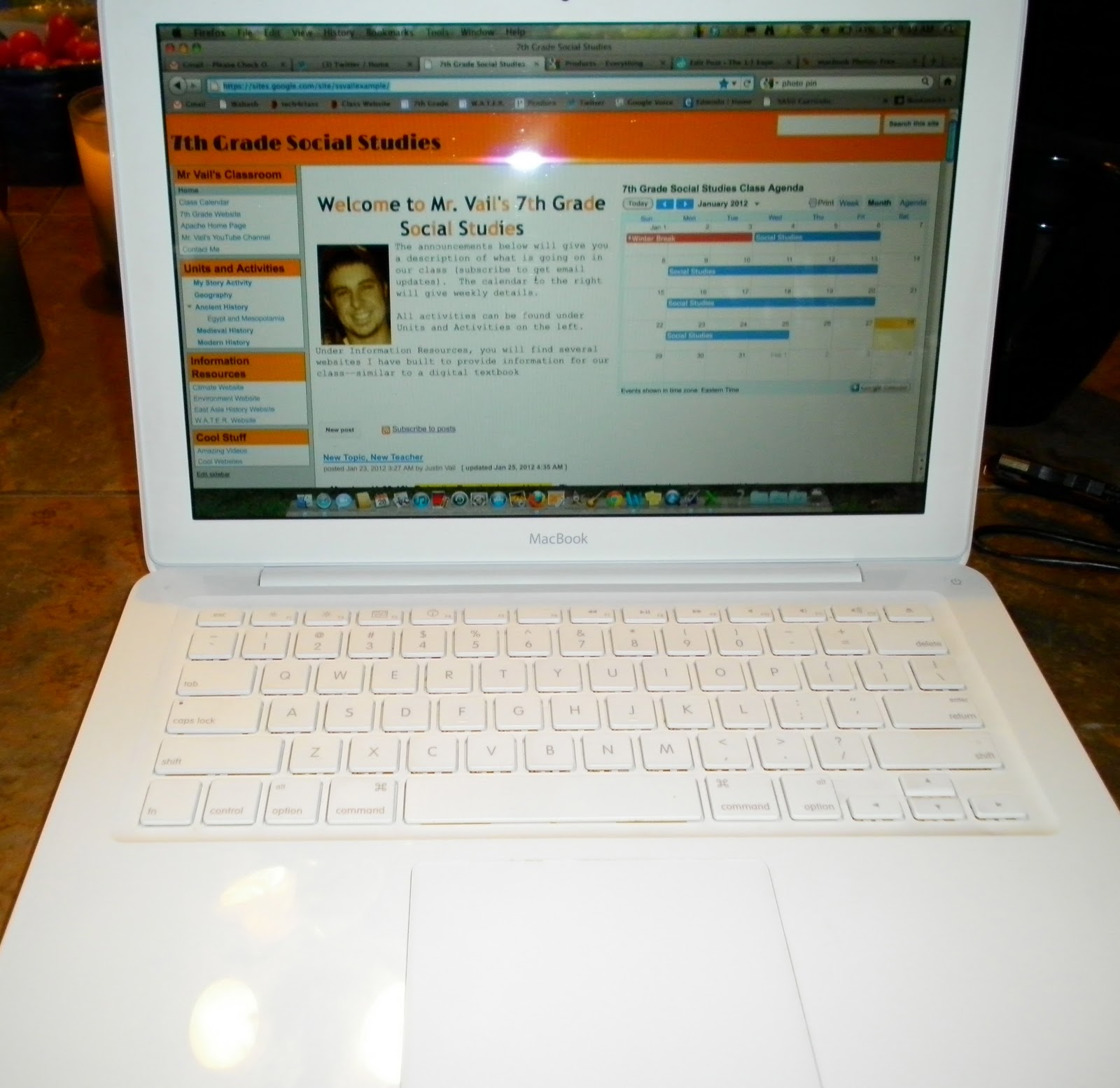
We decided to go with Macbooks because of their battery life, durability, and creative power. We went from having 2 computer labs to every student with their own computer. To say its been a revolutionary year would be an understatement. We have definitely revolutionized the technology in our building, but now we are moving to more important revolutions.
Giving a student a computer does not equal a 21st Century classroom. Some teachers are now experimenting with progressive pedagogy and assessment methods. My close friend and educational consigliere, Joey Till, has been a leader in the massive move from the traditional classroom.
We are so excited for the future. Our classrooms are our educational laboratories. We are looking for educational scientists who want to teach, learn, and explore. This blog will be dedicated to our adventures in education, experimenting in different types of pedagogy and assessment.
Subscribe to:
Posts (Atom)